
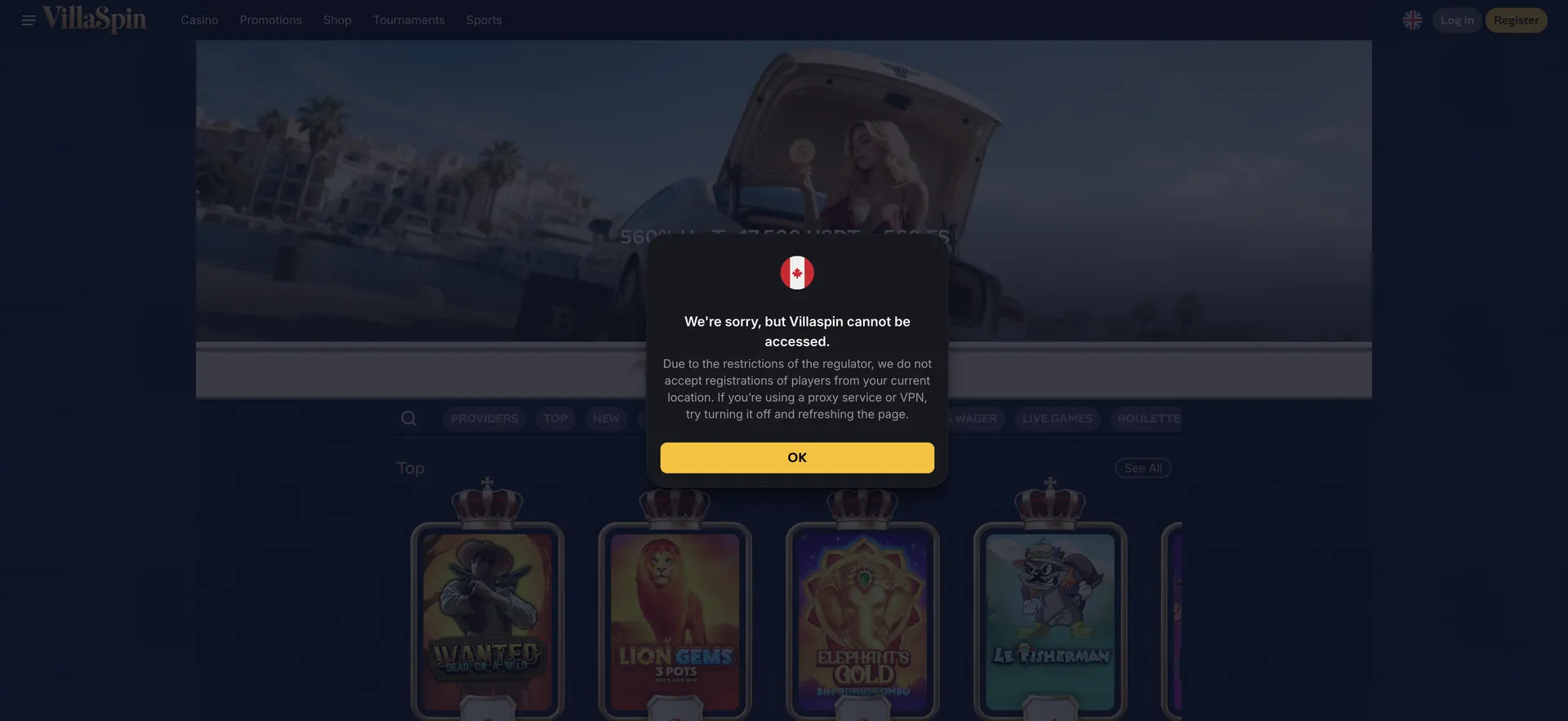
VillaSpin registration starts with the yellow Register button in the top right corner of every page. The form asks for an email address, a password and personal details, and the player confirms being over 18 and accepts the Terms of Service. After that the account can log in, choose one of the four welcome packs and make a first deposit. Identity verification under the KYC Policy is needed before the first withdrawal. Visitors from countries excluded by the licence see a notice that VillaSpin cannot be accessed from their location, with a request to turn off any VPN or proxy.
How to create an account
The standard sign-up sequence on desktop:
- Click the yellow Register button in the top right corner.
- Enter an email address that is checked regularly.
- Choose a strong password not used on any other site.
- Fill in name, date of birth and address exactly as on the identity document.
- Select the account currency, euros or USDT.
- Confirm being over 18 and accept the terms.
- Confirm the email address if a link is sent.
Registering on mobile
On a phone the process is the same, with a few differences in practice:
- The Register button sits in the top right corner of the mobile site as well.
- Autofill can enter a wrong name or old address, so each field is worth checking.
- Identity documents can be photographed straight from the camera.
- A home-screen shortcut from Safari or Chrome makes later logins quicker.
Details required
The information VillaSpin asks for and why it matters:
| Detail | Why it is needed |
|---|---|
| Email address | Login and account messages |
| Password | Account access |
| Full name | Must match the identity document for withdrawals |
| Date of birth | Age check, 18+ |
| Address | Must match the proof of address |
| Account currency | EUR or USDT; GBP is not available |
Activating the account
After the form is sent, the account can be used straight away; if a confirmation email arrives, the link in it completes the activation. Logging in uses the email and password on the login form, with a "Forgot your password?" link below for recovery. Once logged in, the cashier shows the welcome packs, and choosing one has to happen together with the first deposit, since the packs exclude each other. Players who want no wagering conditions can deposit without choosing a pack. The packs are compared on the VillaSpin bonus page.
Verification before withdrawal
Verification is required before the first withdrawal. Uploading the documents right after registration saves time when the first payout is requested:
- A valid passport, photocard driving licence or national ID card.
- Proof of address dated within the last three months: a bank statement, utility bill or council tax letter.
- A photo of the payment card with the middle digits covered, if requested.
- A selfie holding the ID, if requested.
Clear photos showing all four corners of each document are accepted faster than cropped or blurred ones.
Common sign-up mistakes
A few errors cause most problems after registration:
- A nickname or shortened name instead of the full legal name, which blocks the first withdrawal.
- An old address that differs from the proof of address document.
- A second account opened on another email, which counts as bonus abuse.
- Choosing a welcome pack without reading its wagering, especially the VIP pack.
- Skipping the deposit limit settings, which are easiest to set before the first deposit.
Account settings after sign-up
Once the account is open, a few settings are worth adjusting before playing. Deposit limits for a day, week or month are set in the account; lowering them takes effect straight away. The language can be switched between English and French with the flag icon. Documents for verification can be uploaded in the profile at any time, and doing it early means the first withdrawal is not held up.
Who cannot register
Some players cannot open an account at VillaSpin:
- Anyone under 18.
- Residents of countries excluded by the licence; the site shows a notice as soon as the page opens.
- Players who already have an account, since one account per person is allowed.
- Players who have chosen self-exclusion at VillaSpin.
Using a VPN or proxy to get around a location block breaches the terms and can lead to winnings being withheld.
Logging in after registration
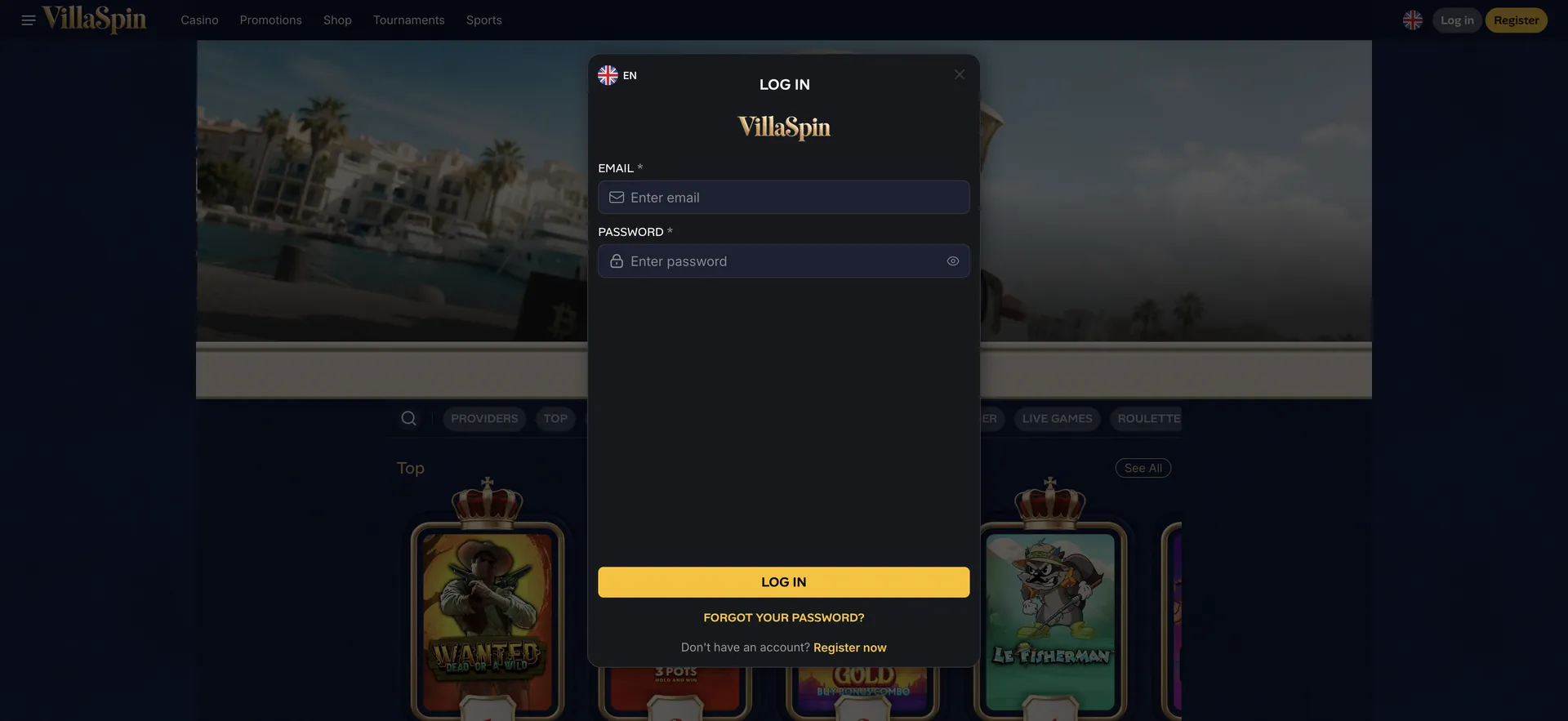
The Log in button sits next to Register in the top right corner. The form asks for the email and password chosen at sign-up, with a "Forgot your password?" link for recovery and a "Register now" link for new players. The flag icon on the form switches the language between English and French.
Closing or pausing an account
An account can be paused or closed through support or the Self Exclusion page in the footer. Any remaining balance should be withdrawn first, after verification.
FAQ
Common questions about VillaSpin registration.
How long does VillaSpin registration take?
The form takes a few minutes. Verification of documents is a separate step and is needed before the first withdrawal.
Is a deposit needed to register?
No. An account can be opened without a deposit; a deposit is needed to play and to claim a welcome pack.
Can the account be opened in pounds?
No. The account currencies are euros and USDT.
What happens if the details do not match the documents?
The first withdrawal is blocked until the details are corrected, and bonuses claimed with wrong details may be cancelled.